
RotatorMap
Antenna pointing and rotator control for radio amateurs. See where your beam goes, on a map that knows the Earth is round, and turn your antenna with a click.
Installer · 46 MB · 2026-09-26 · Windows 10 and 11 (64-bit)
Or the portable version (50 MB): one file that runs without installing, from any folder or a USB stick.

What It Does
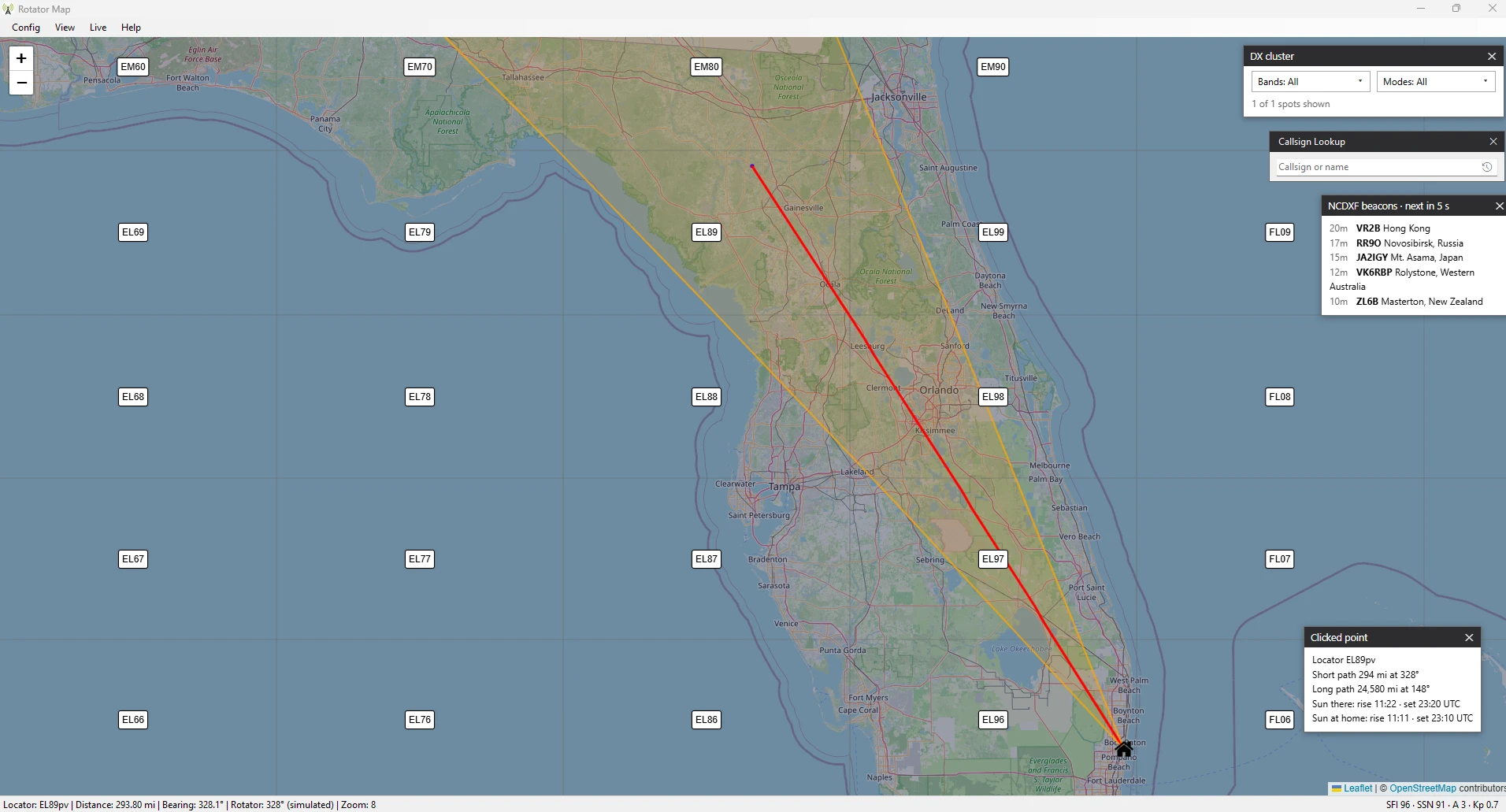
Beam Sector on a Real Globe
Your heading and beamwidth drawn along true great-circle paths, over the poles and across the date line.
Point and Turn
Click the map, pick a callsign or a DX spot, and the rotator turns the short way round. A/Z steps one degree at a time.
Rotator Control
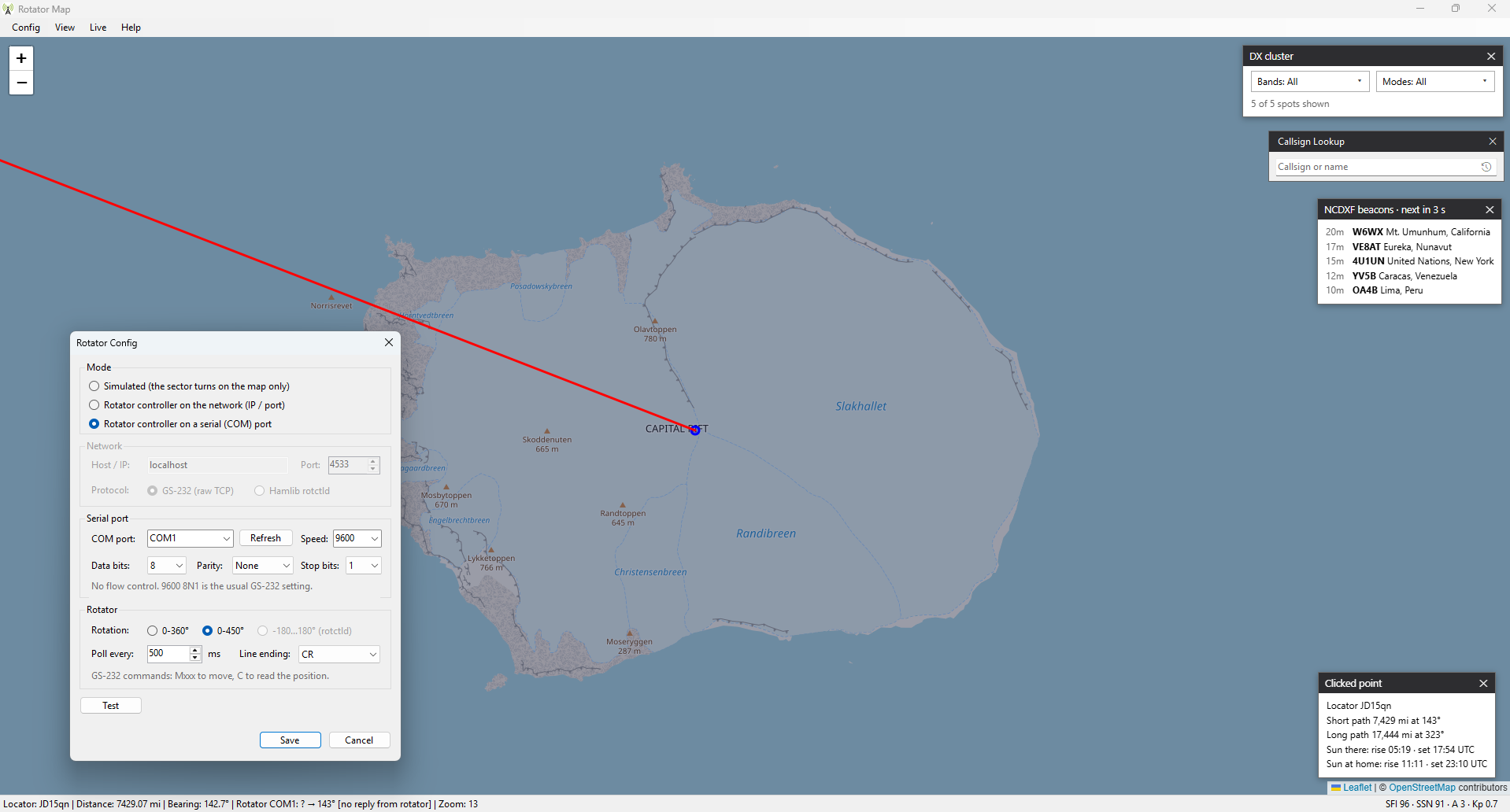
Yaesu GS-232 on a serial port or the network, or Hamlib rotctld. 0–360°, 0–450° and −180…180° rotators, with the position read back.
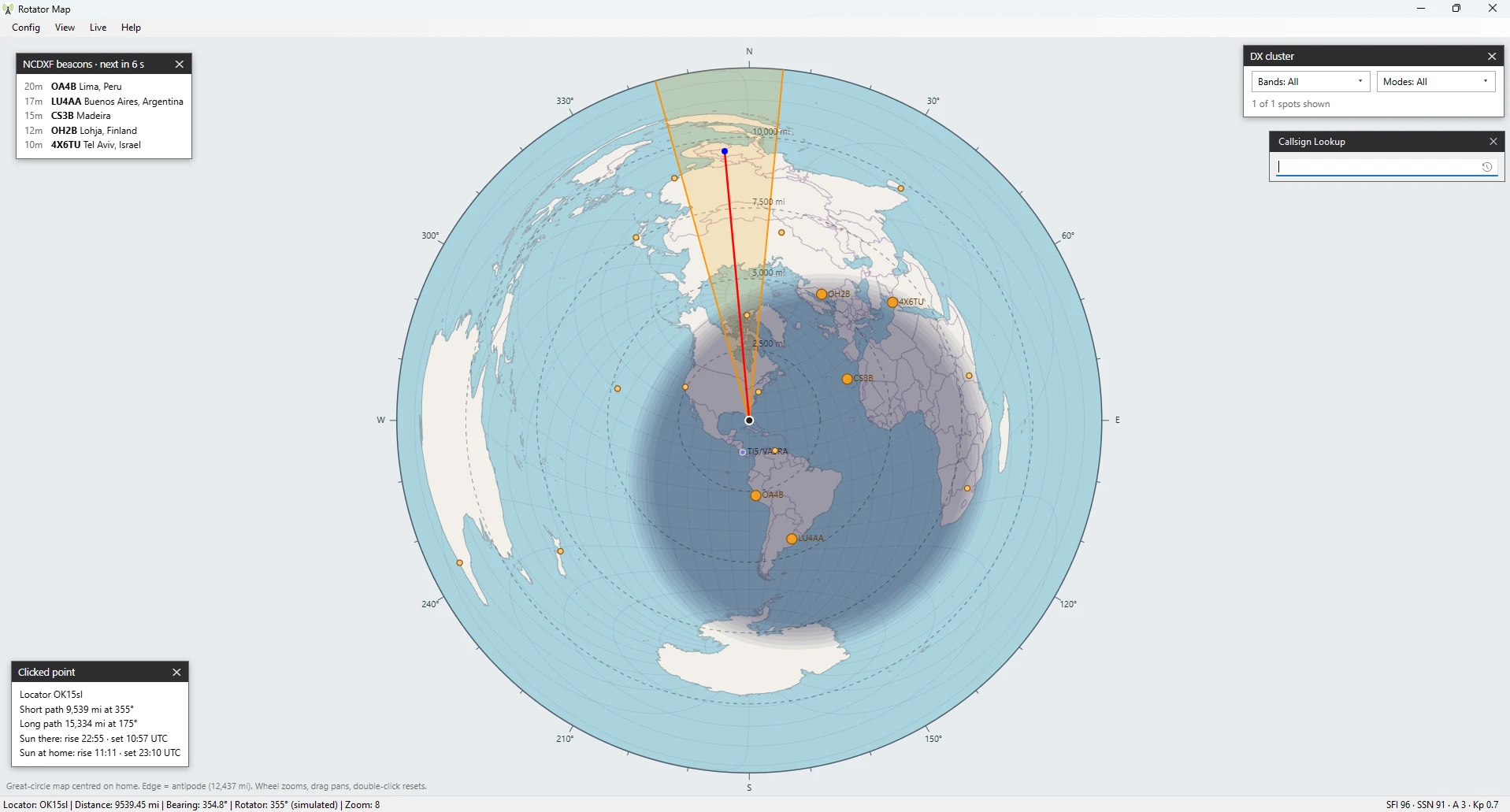
Great-Circle Map
An azimuthal equidistant map centred on your QTH: every straight line from the centre is a beam heading.
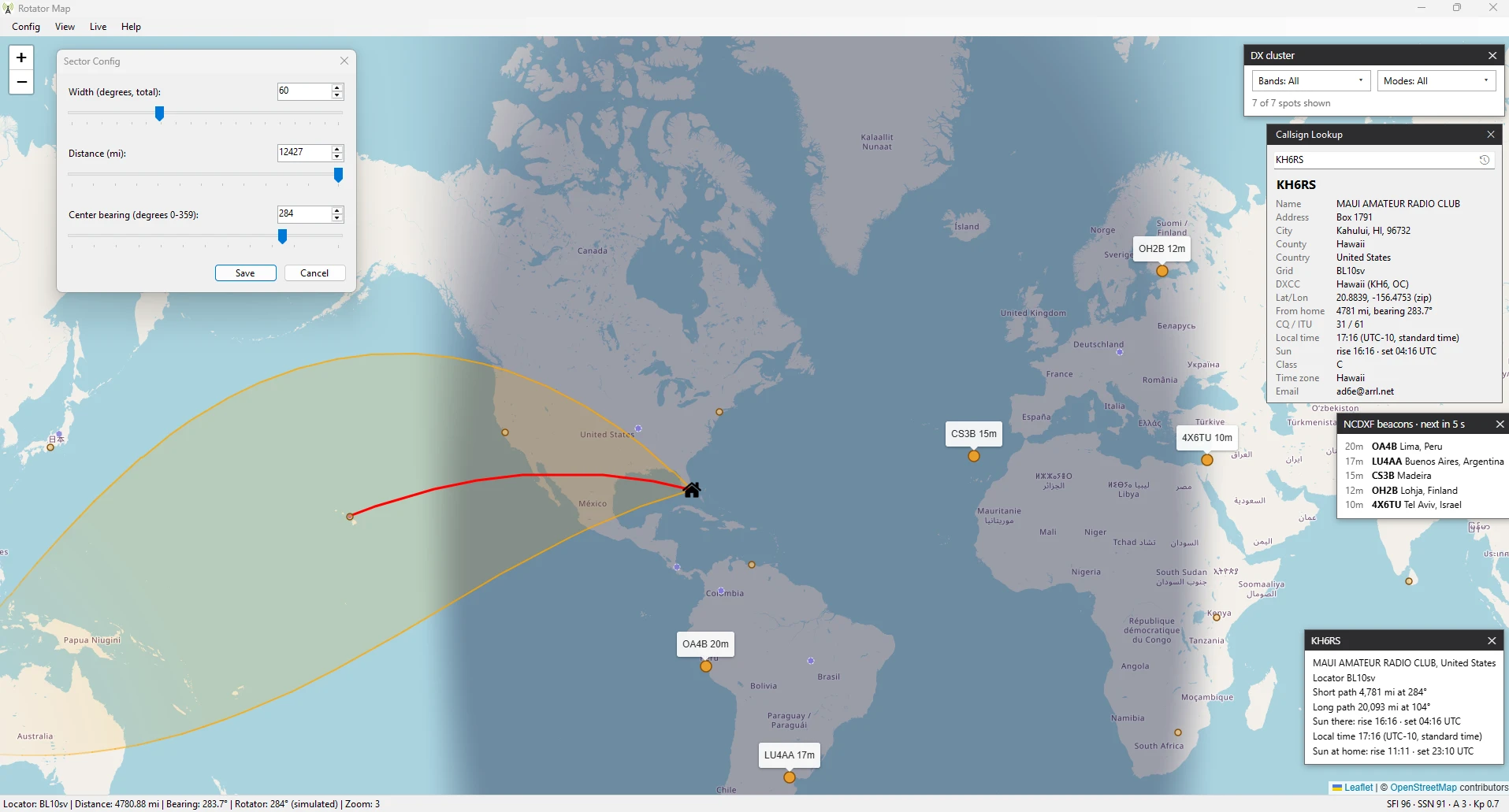
Callsign Lookup
Look up any callsign on QRZ.com, with bearing, distance and a search history, and your antenna turns to the station's QTH automatically.
Live Data
WSJT-X decodes, DX cluster spots with band and mode filters, who hears you (PSK Reporter, RBN), NCDXF beacons and space weather.
Gray Line
The day/night terminator and night shading, updated as the Earth turns.
Installed or Portable
Install it with shortcuts in the Start menu and on the desktop, or run the single file from any folder or a USB stick. Settings are kept in your Windows registry.
Requirements
- Windows 10 or 11, 64-bit.
- The Microsoft Edge WebView2 Runtime, which is part of Windows 11 and of up-to-date Windows 10. If it is missing, RotatorMap tells you where to get it.
- An internet connection for the map. A rotator is optional: without one, RotatorMap works in simulated mode.
Getting Started
- Download the installer and run it. It installs RotatorMap in Program Files, with a shortcut in the
Start menu and, if you like, on the desktop. (The portable version needs no installing: put
RotatorMap.exein any folder and double-click it.) - If Windows SmartScreen asks first, as it can for new downloads, choose More info and then Run anyway.
- Set your home QTH with Config → Set Home QTH, and you are ready.
Everything is explained in the user manual, which is also built into the program (F1).
Free, in the Amateur Spirit
RotatorMap is free to use, made in the amateur radio spirit of sharing. If you like it, please consider donating $10 to the Boca Raton Amateur Radio Association (N4BRF).